Run it on GitHub, no install
Click a button and a ready-made dev machine opens in your browser. Run the real installer in 2 minutes, then watch GitHub Actions cut a real release in your own copy in 5. Every step explains itself.
Free with your GitHub account · No install on your computer · No secrets · Explained in English or Korean
What is this?
Section titled “What is this?”A Codespace is a computer GitHub lends you, opened in a browser tab: VS Code with a Linux terminal, already set up with Node.js, git and the gh command. The example repository adds two commands to it. They run the real project-auto-wizard, not a simulation, and say what they do at every step.
| ① Run the installer | ② A real release in your repo | |
|---|---|---|
| You see | The wizard installs release automation into a sample Node, Spring or Python project | GitHub Actions turn a commit into a version, release notes, a CHANGELOG entry and a GitHub Release |
| You need | A GitHub account | A GitHub account and your own copy of the template |
| Time | about 2 minutes | about 5 minutes |
Part 1: run the installer
Section titled “Part 1: run the installer”Click ① 2 min: run the installer at the top of this page, then Create new codespace. When the terminal is ready, paste:
Paste this into the Codespace terminal
npm run try:install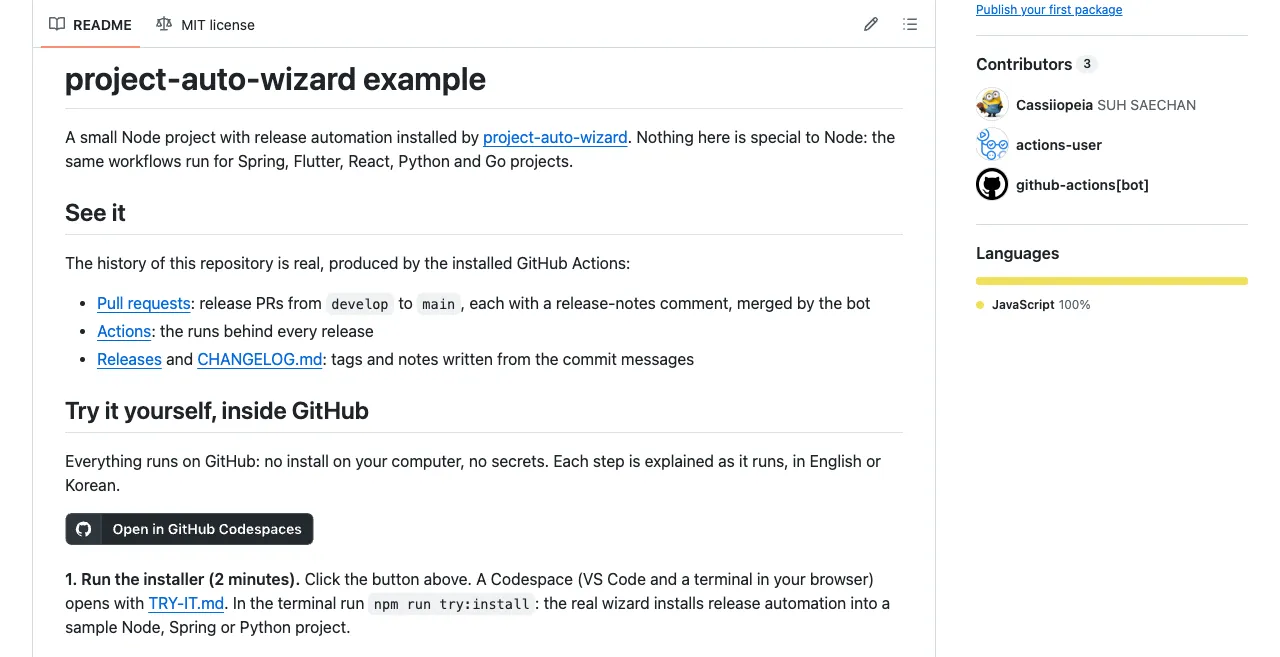 1Open the Codespace
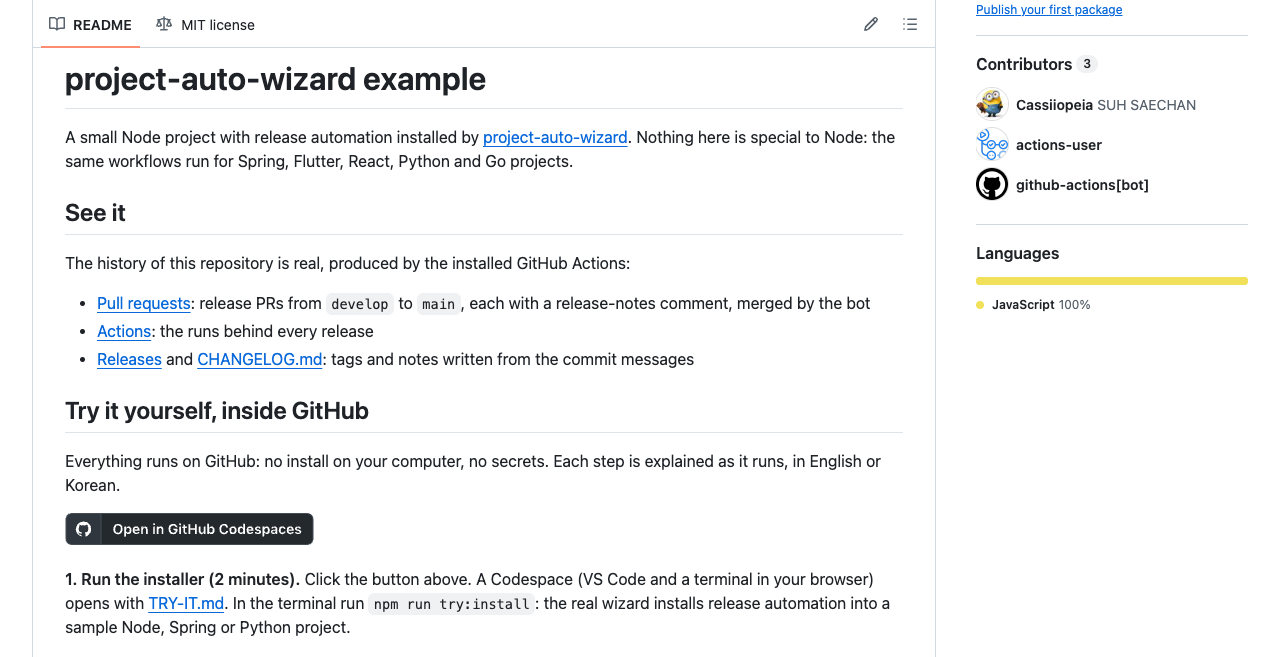
Open in GitHub Codespaces, then Create new codespace. The first start takes about a minute.
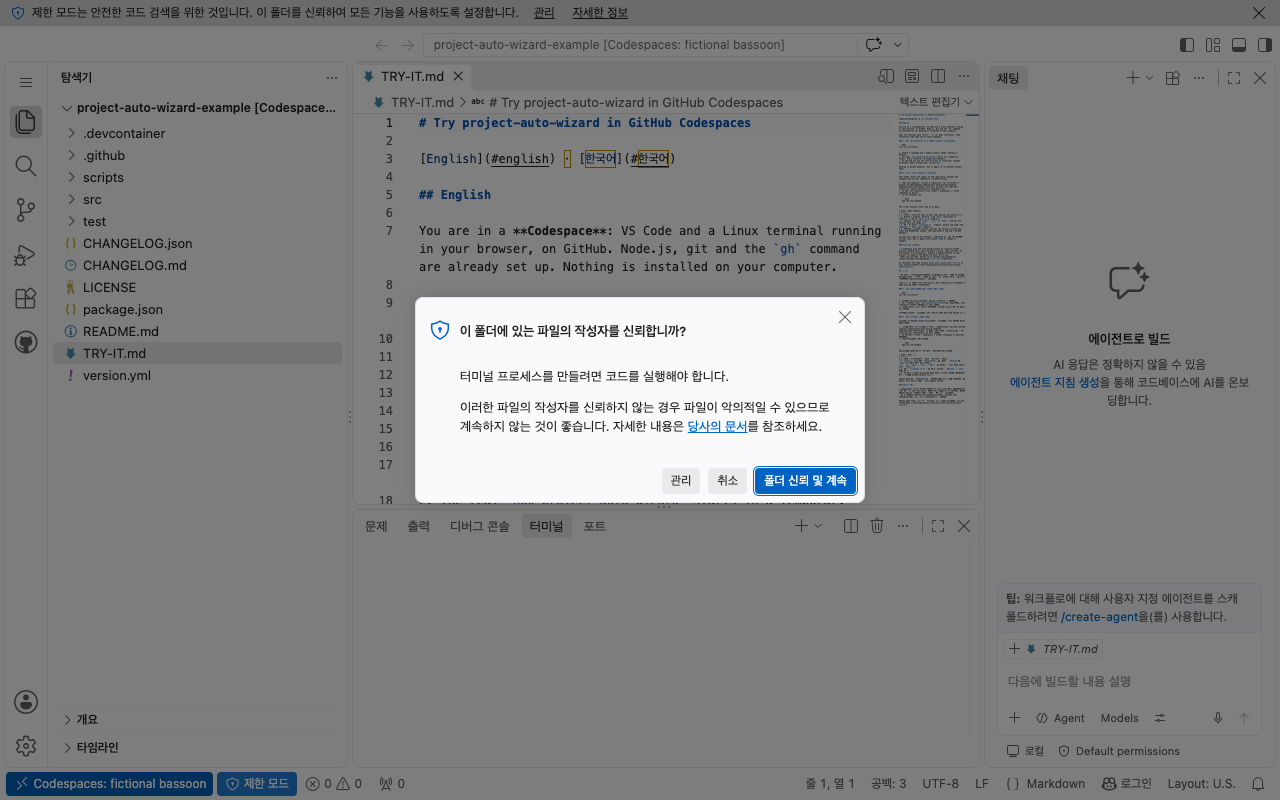
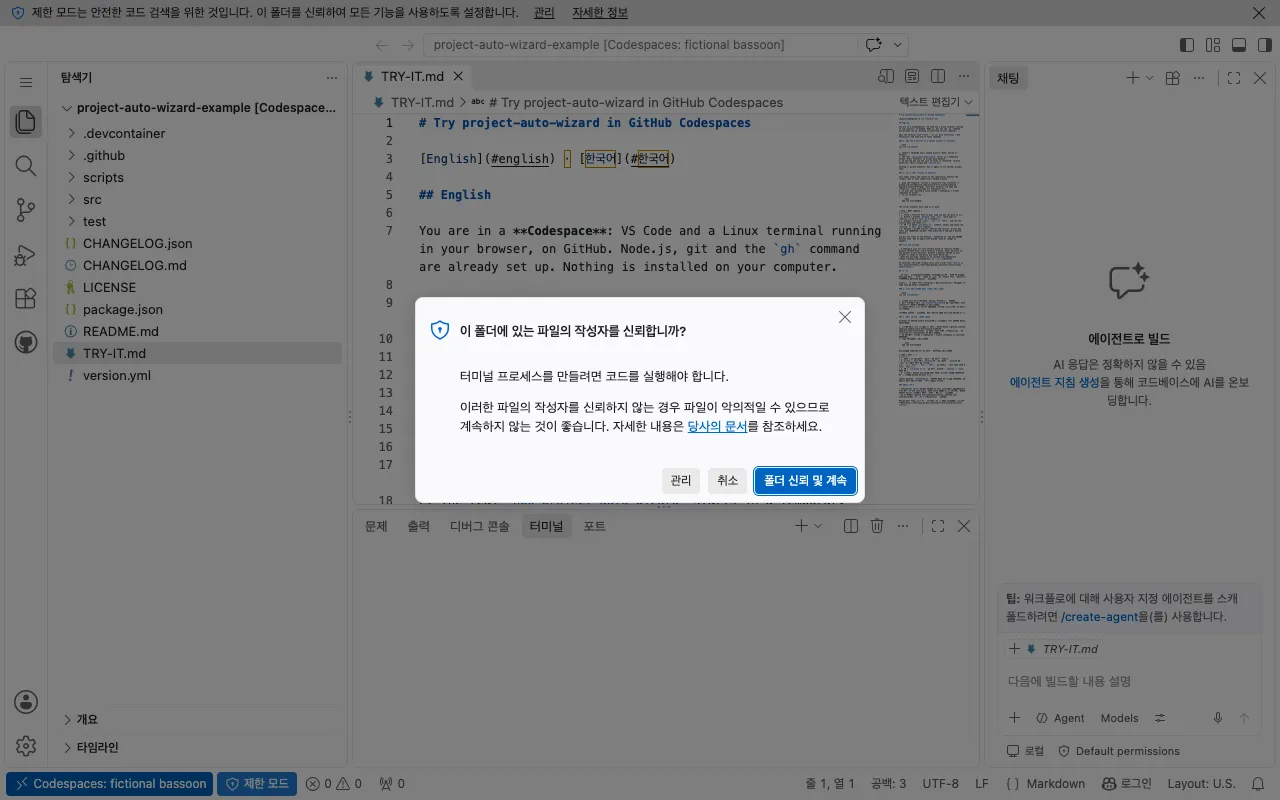 2Trust the folder
Click Trust folder and continue. Until you do, the terminal stays off.
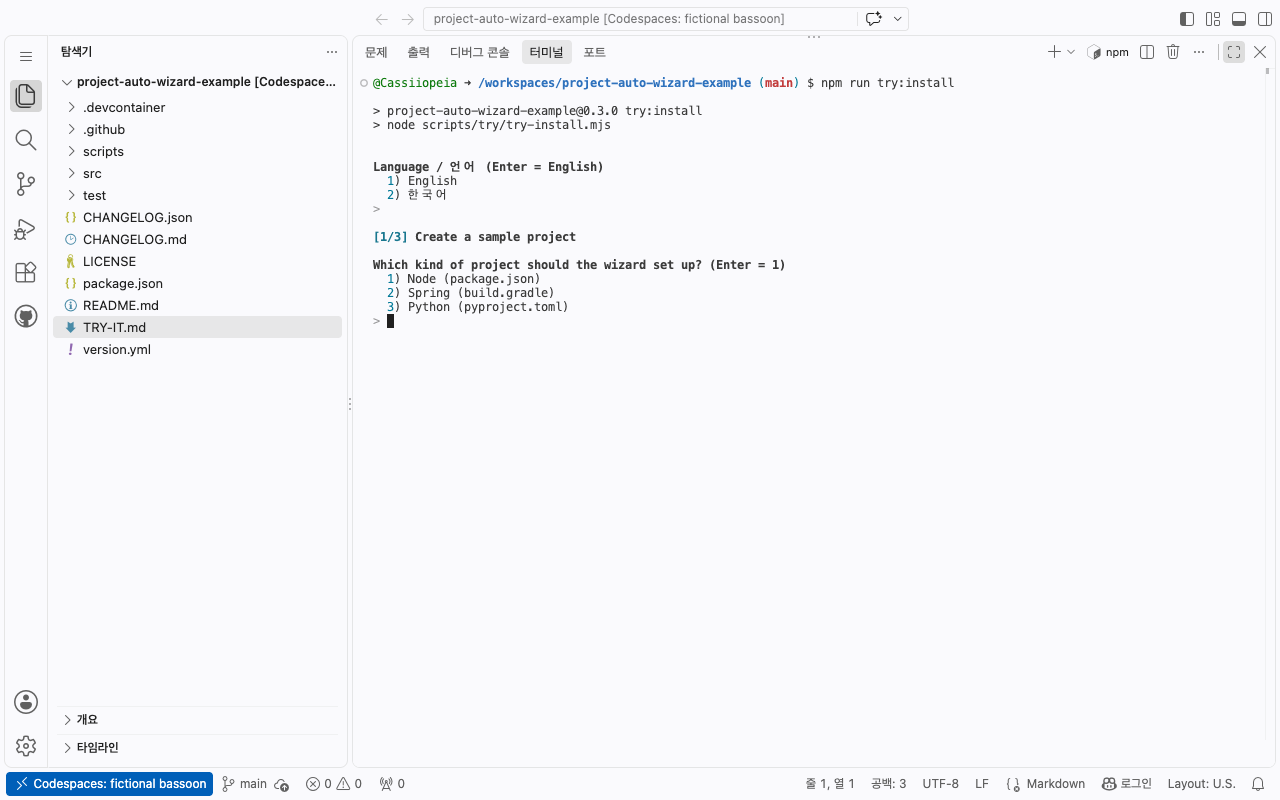
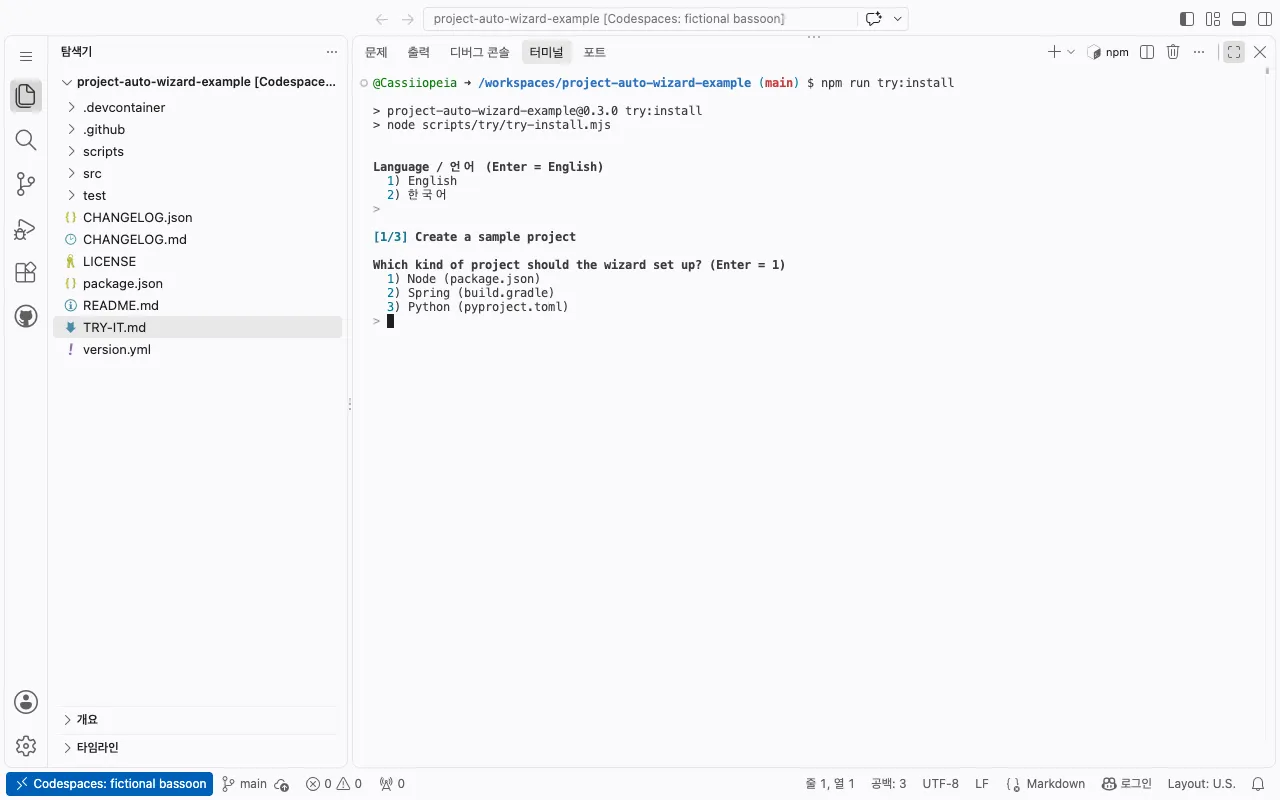 3Pick a sample
Choose a language and a Node, Spring or Python sample, then press Enter at each question.
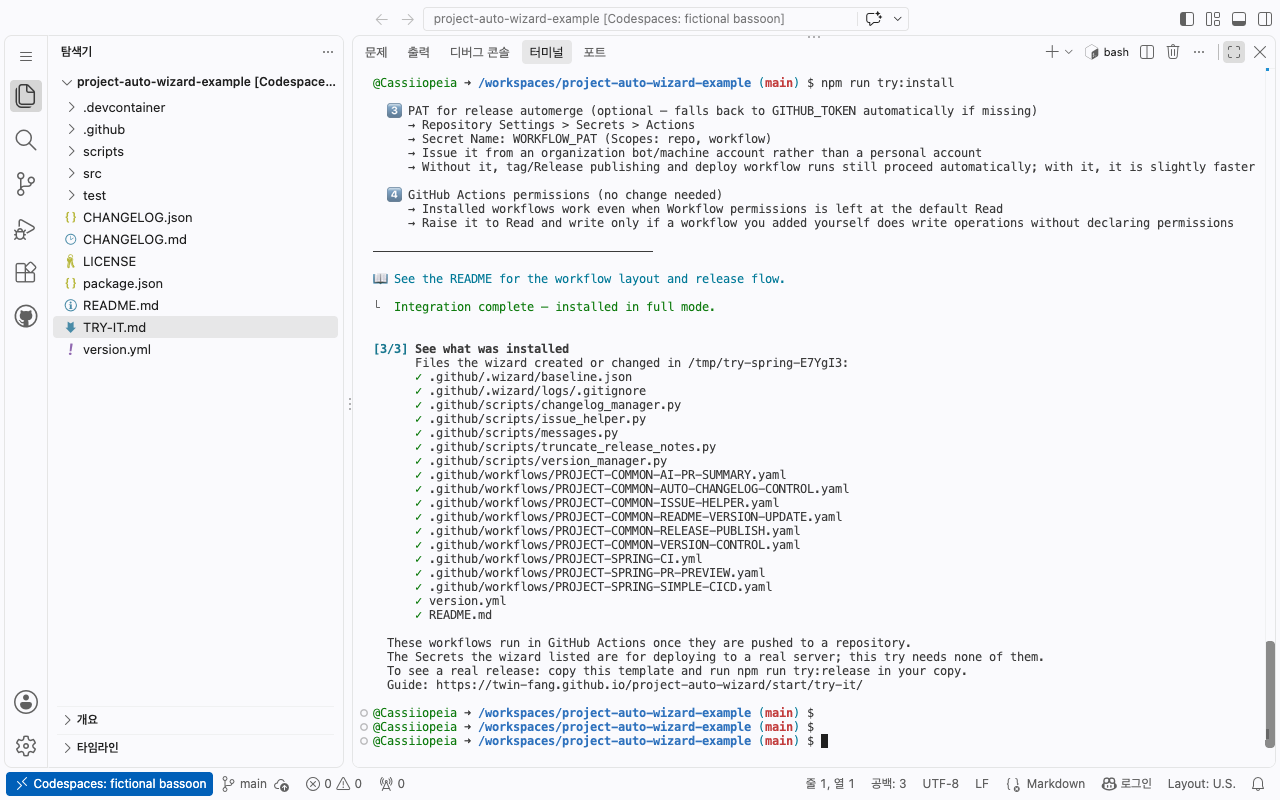
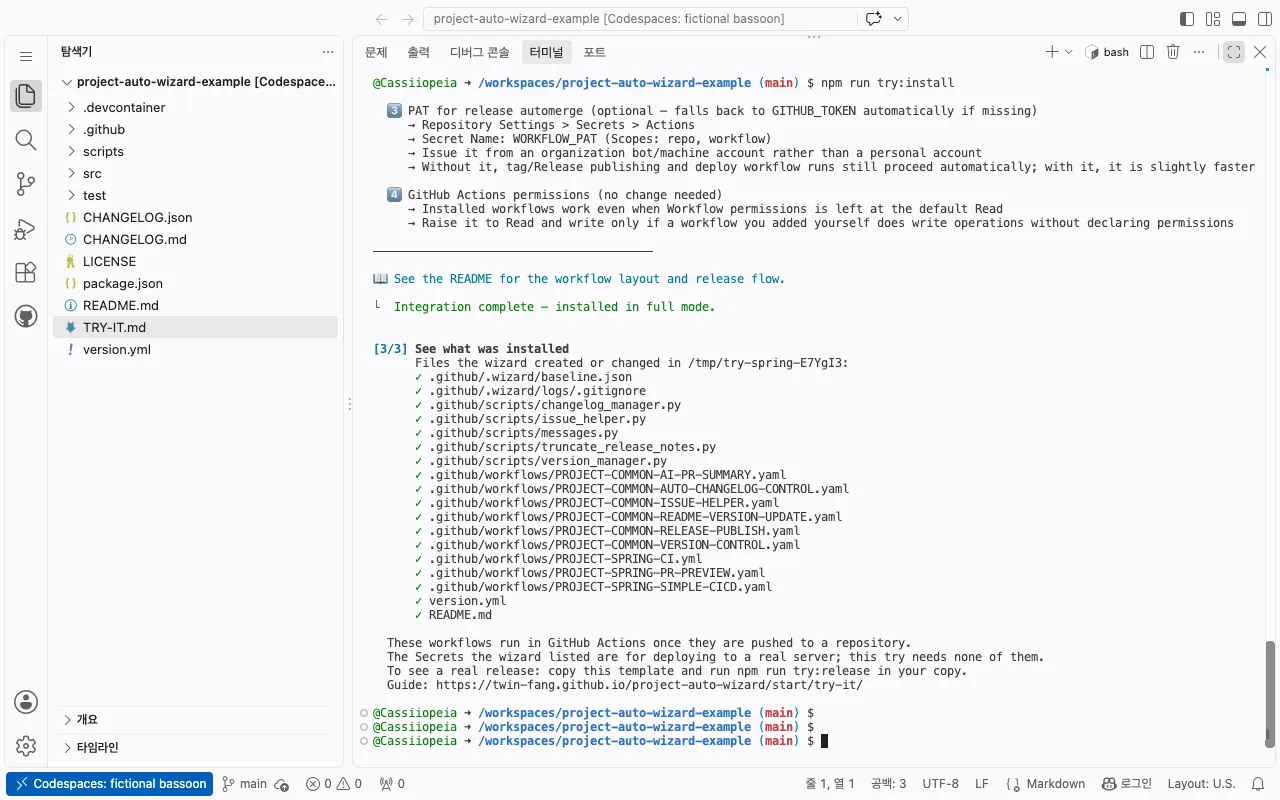 4See what it installed
Release workflows, their scripts and version.yml. All in a temporary folder; nothing is pushed.
Part 2: a real release in your repo
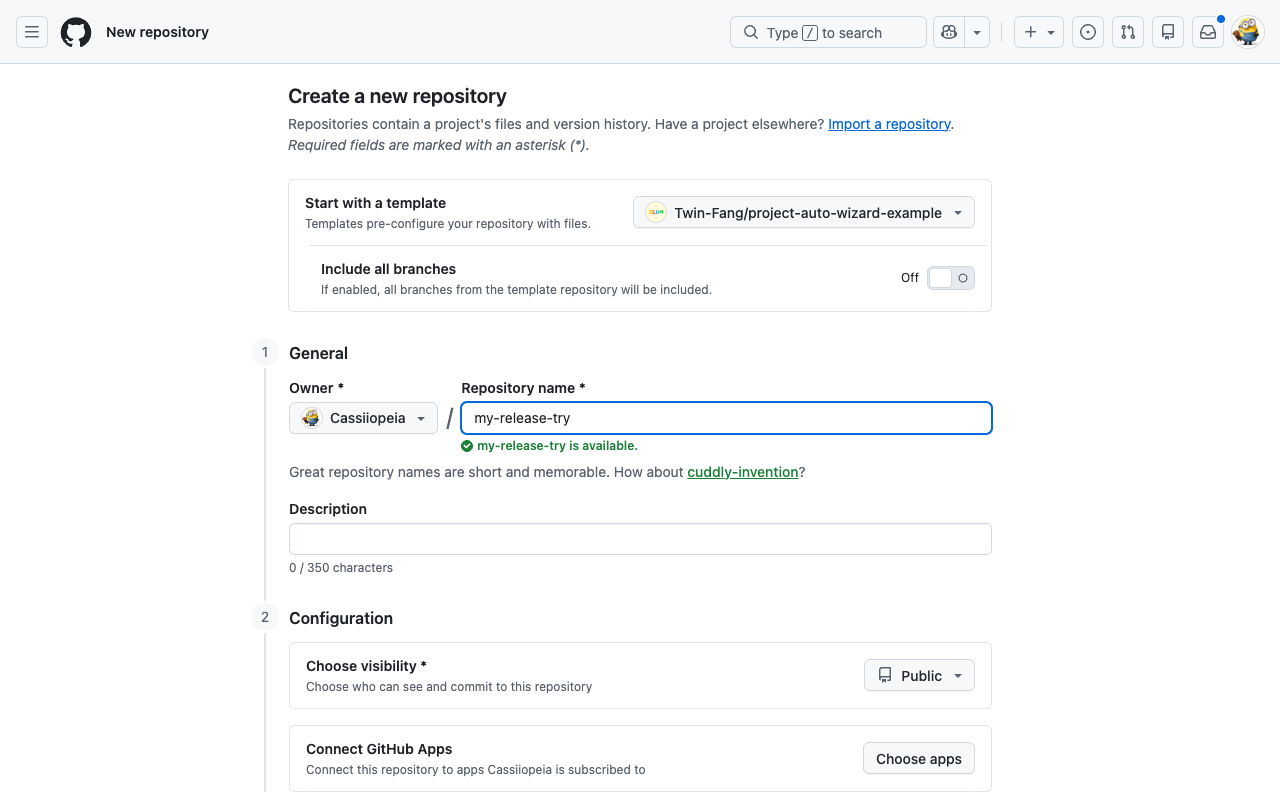
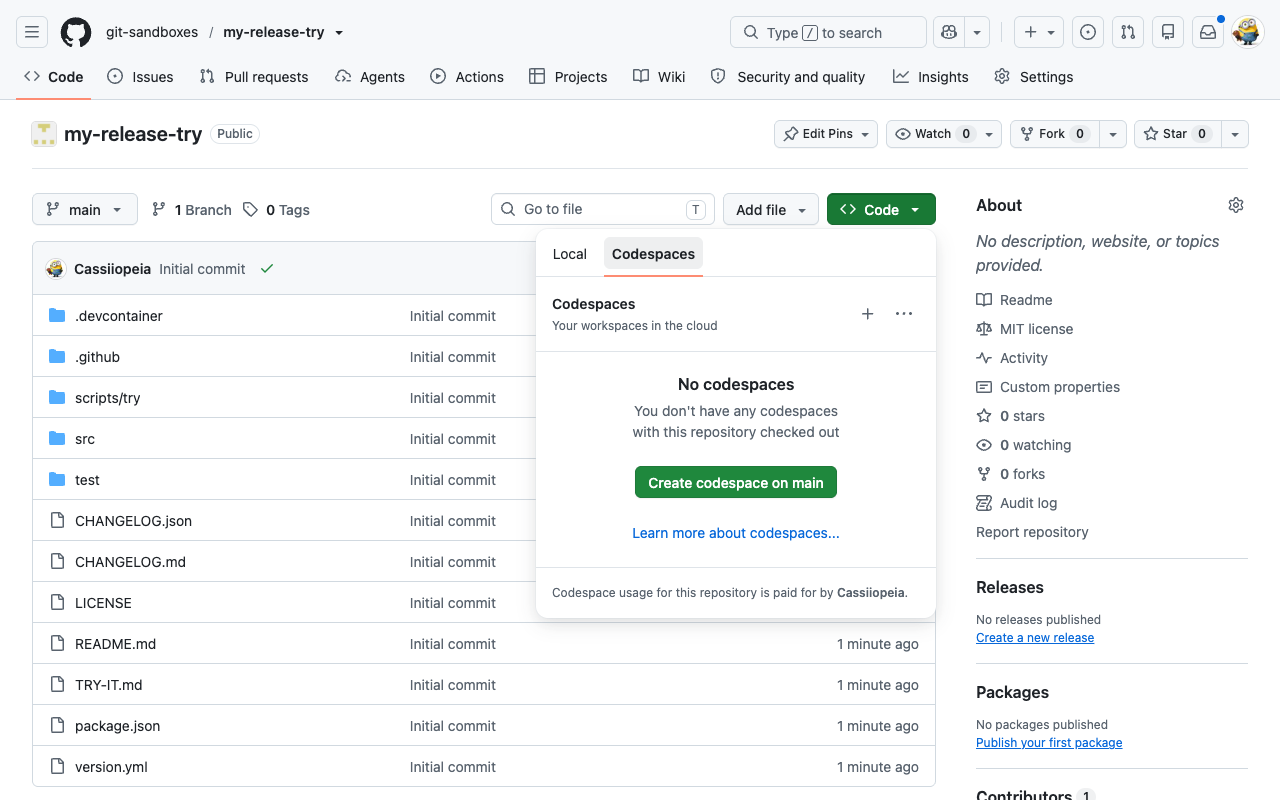
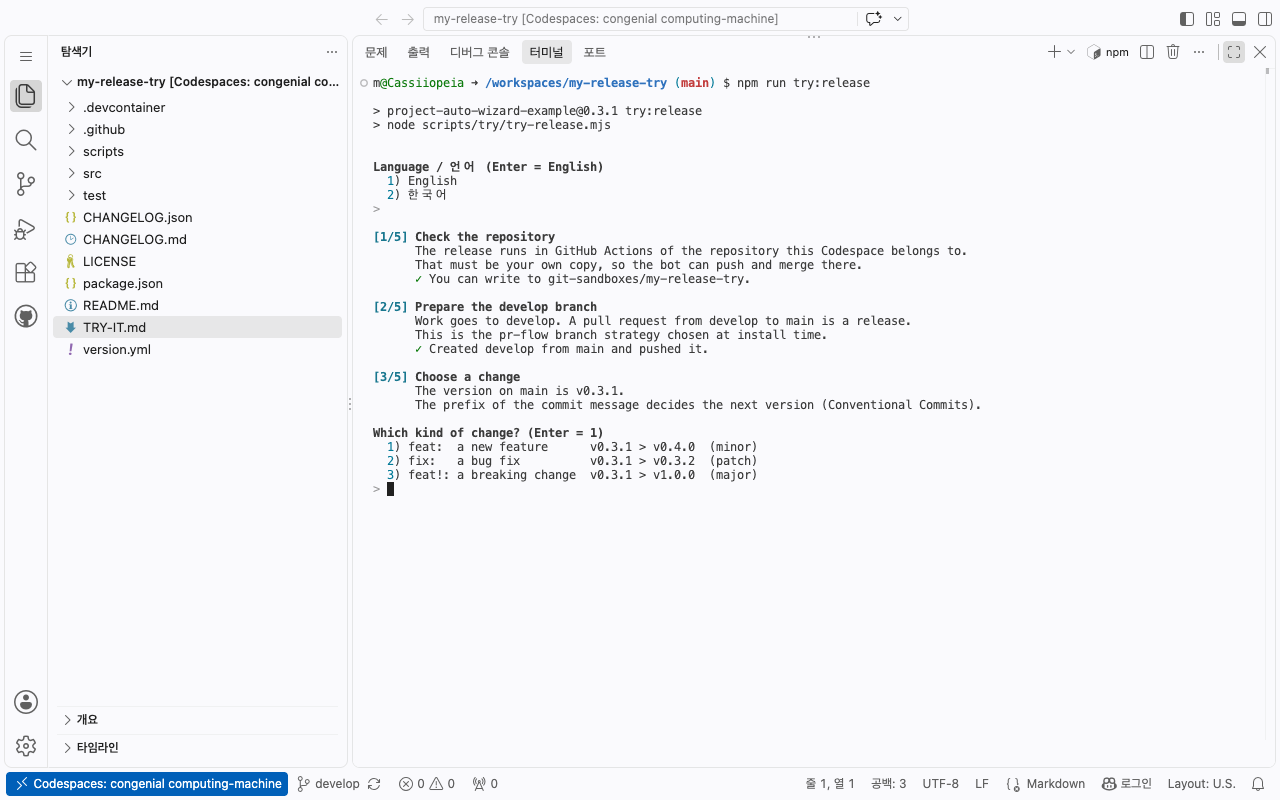
Section titled “Part 2: a real release in your repo”The release runs in GitHub Actions of a repository you own, so first copy the template (your account, any name, Public, Include all branches off). In your copy click Code > Codespaces > Create codespace on main, trust the folder, and paste:
Paste this into the terminal of the Codespace on your copy
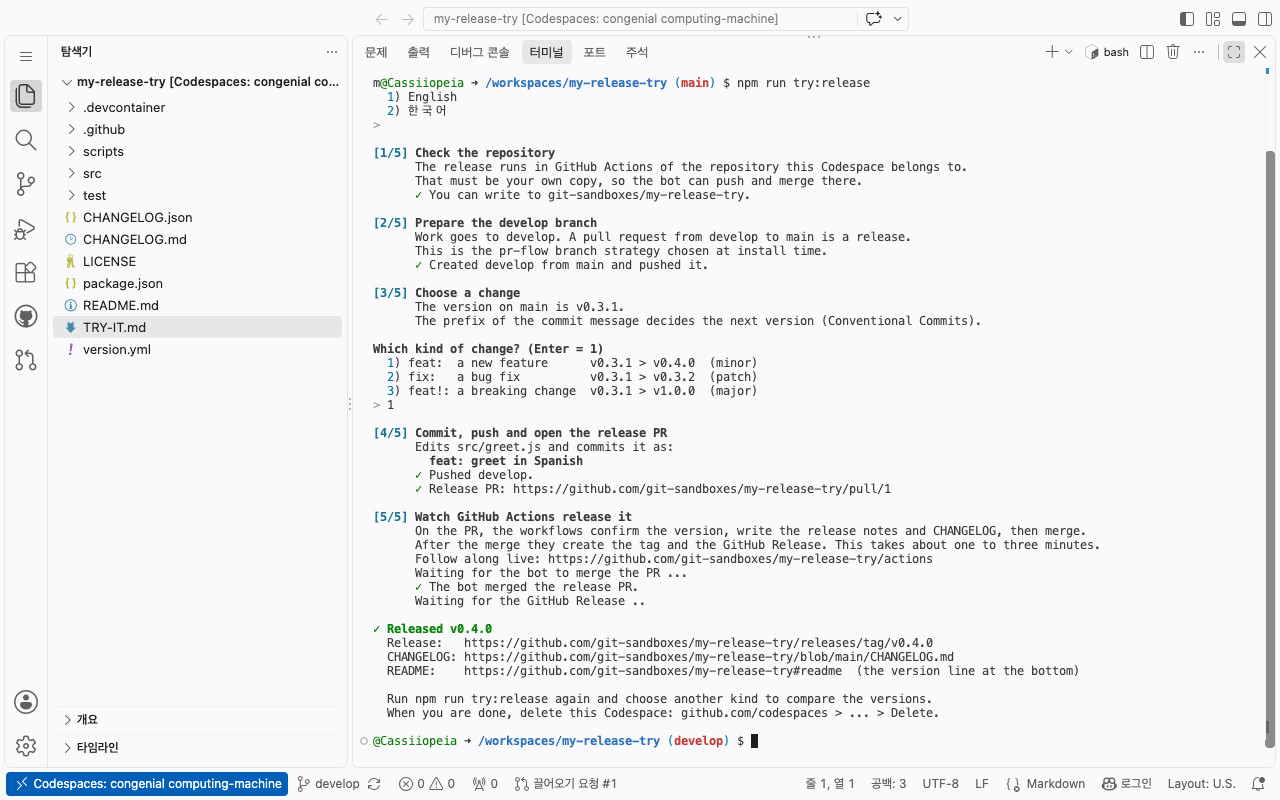
npm run try:release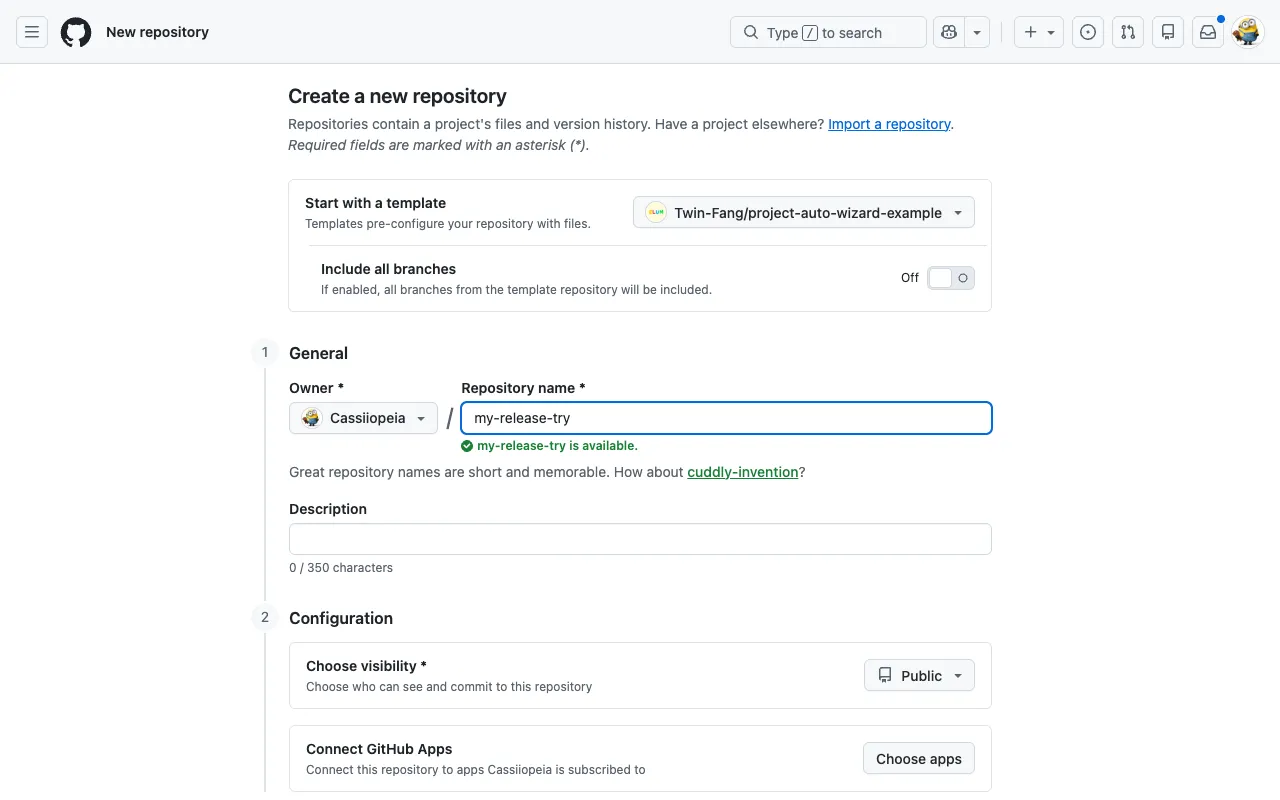 1Copy the template
Your account, any name, Public. Leave Include all branches off.
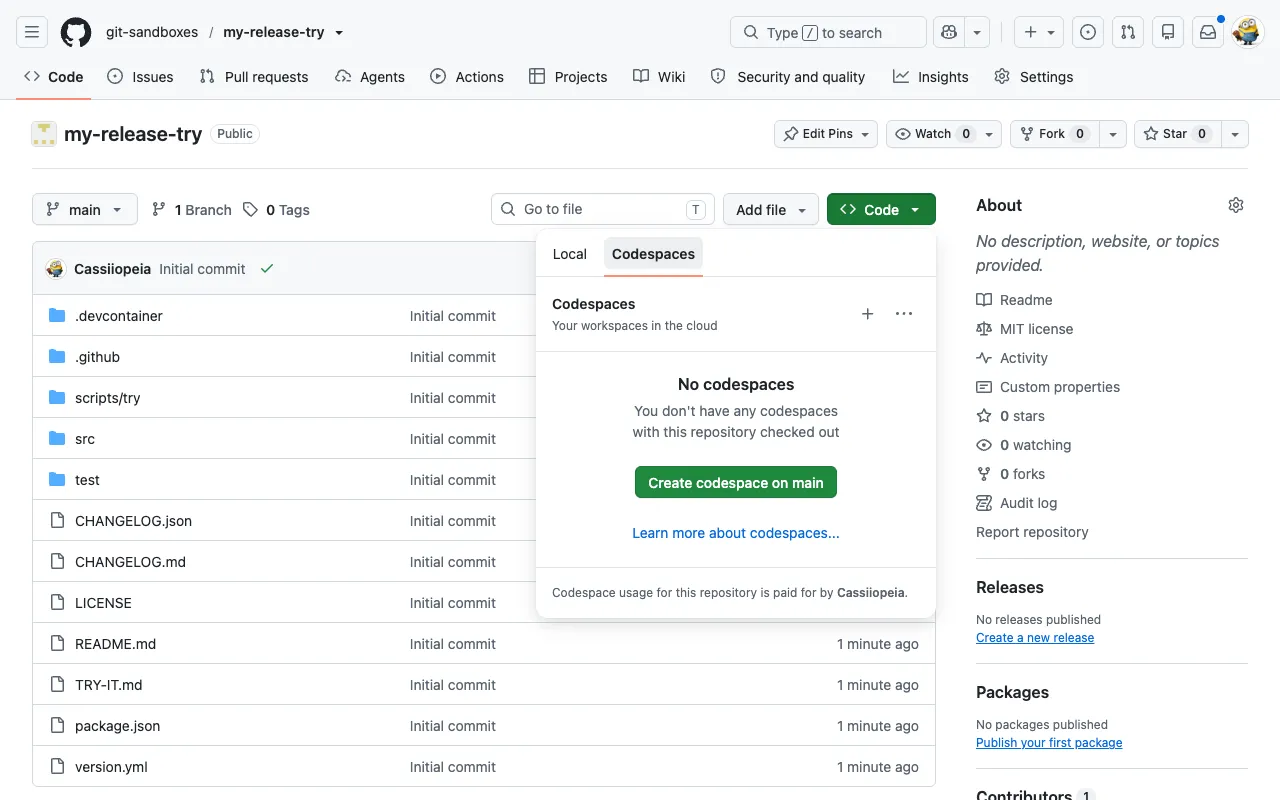 2Open a Codespace on your copy
Code > Codespaces > Create codespace on main.
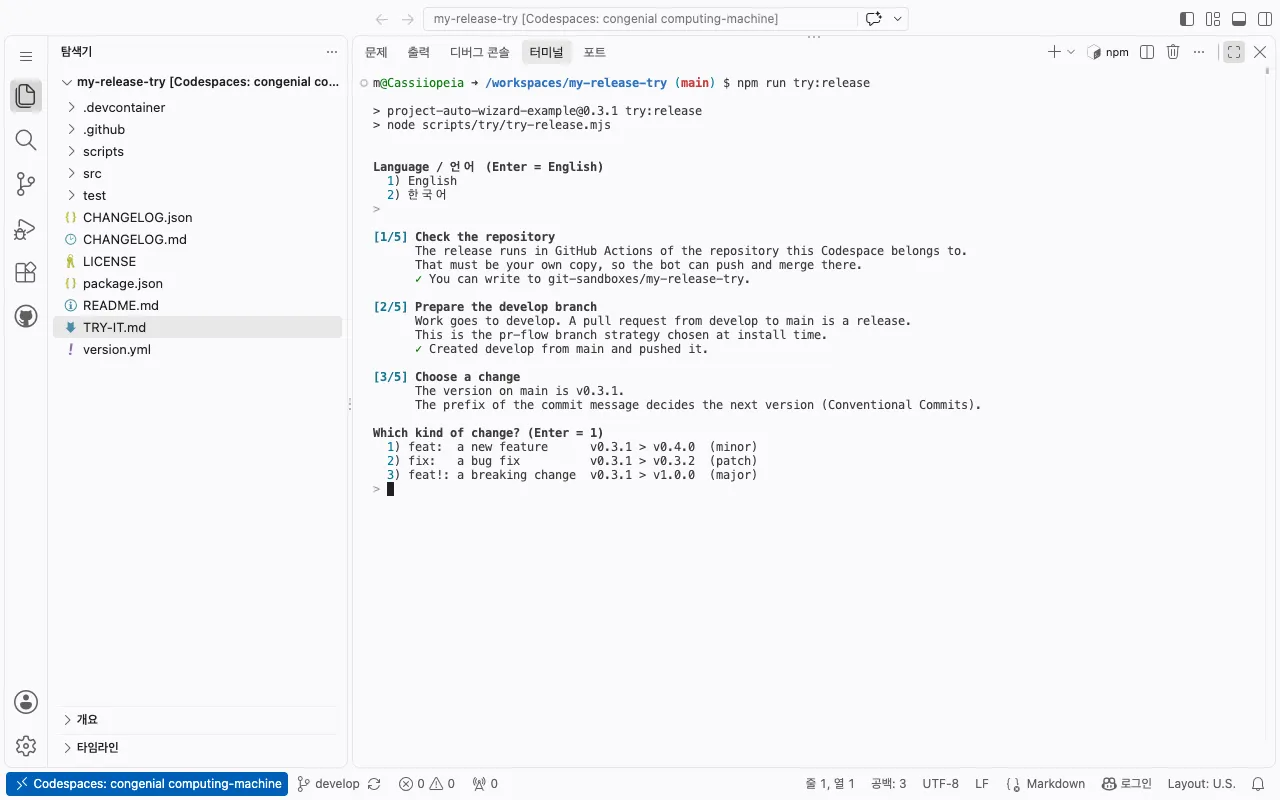 3Choose a change
It shows the version feat:, fix: and feat!: lead to. It creates develop, commits, pushes and opens the release PR for you.
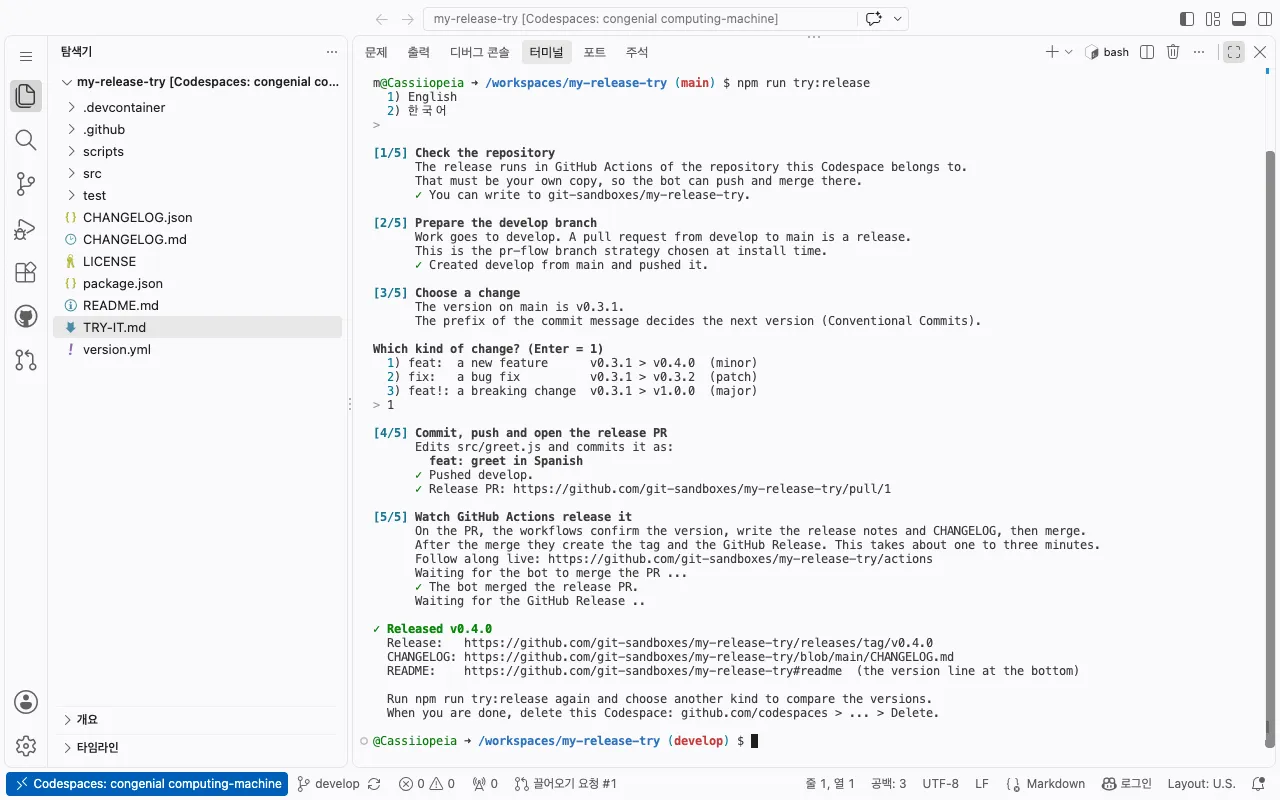 4Watch it release
GitHub Actions confirm the version, write the notes and CHANGELOG, merge and publish. About 1 to 3 minutes.
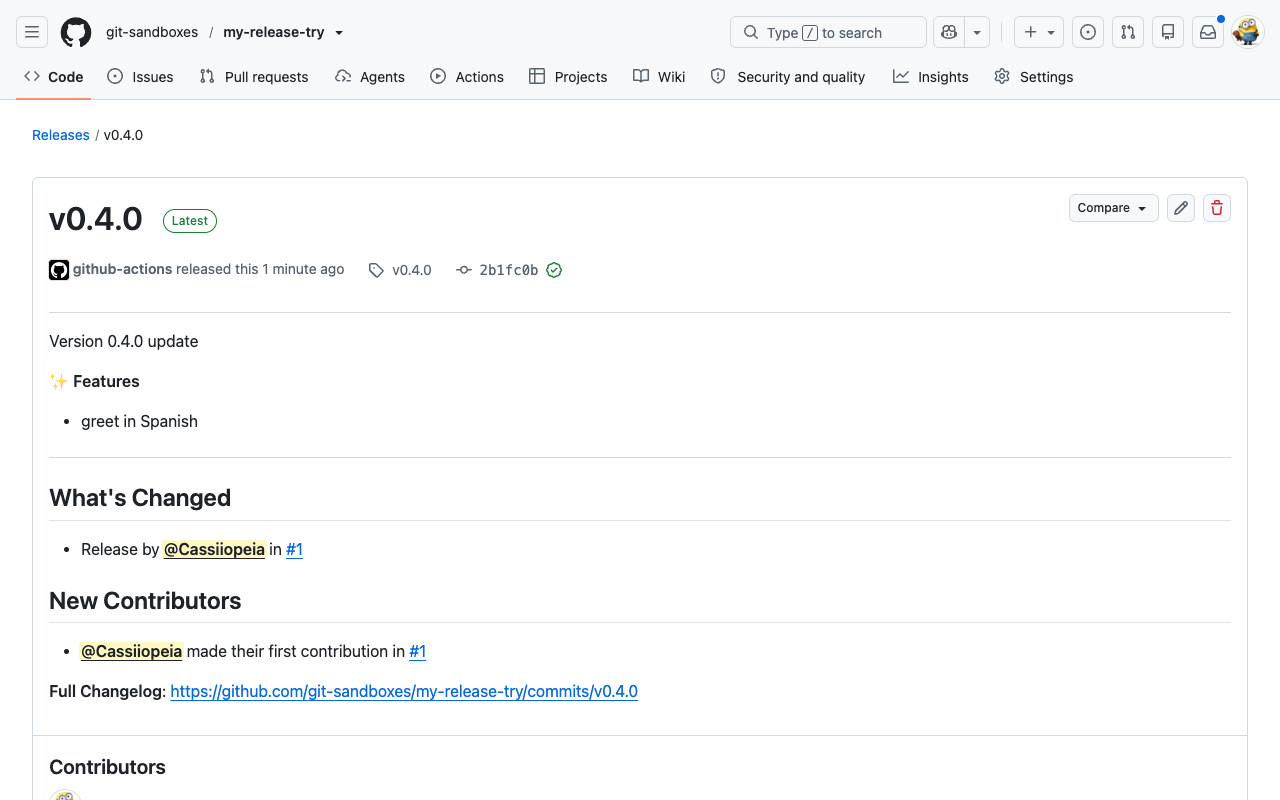
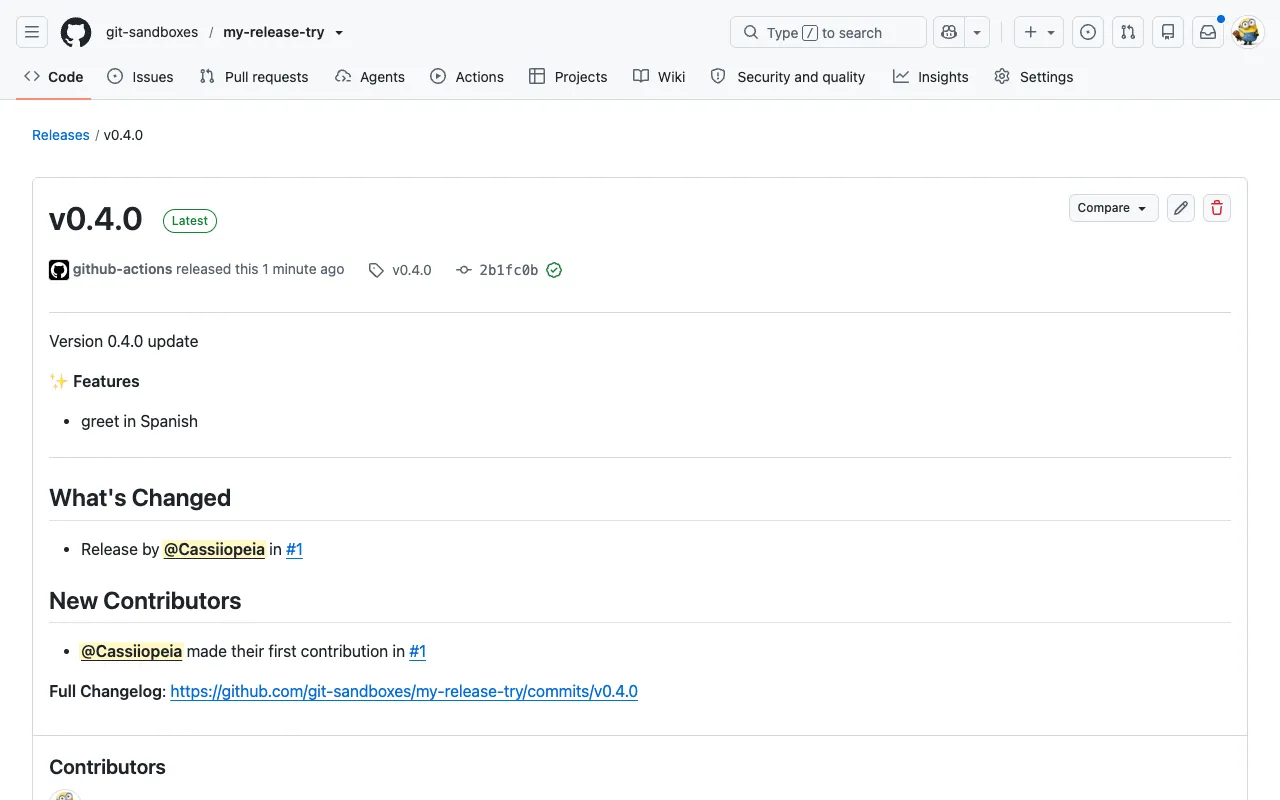 5Your GitHub Release
Written from the commit message. Run it again with fix: or feat!: to compare.
Questions
Section titled “Questions”- Does it cost anything? A Codespace uses the free monthly quota of your own GitHub account (GitHub Free: 120 core-hours a month, about 60 hours on the default 2-core machine). Without a payment method on your account it stops at the quota and never bills you.
- What stays behind? Part 1 leaves nothing. Part 2 leaves your copy of the template with a few releases. Delete the Codespace at github.com/codespaces (… > Delete) and the copy in its Settings when you are done.
- Can I try it on my own project instead? Yes: run
npx project-auto-wizardin the root of your repository. See Quickstart.
No terminal? Clicks only
Section titled “No terminal? Clicks only”The same release as Part 2, done by hand in GitHub’s web UI.
-
Copy the template. On the example repository, click Use this template > Create a new repository. Choose your account as the owner, any name, and Public. Leave Include all branches off, then click Create repository.
✓ The new repository has
.github/workflows/,version.ymland a README ending inLatest Version : v0.x.y. No release is created yet. -
Create the development branch. Open the branch menu (it shows
main), typedevelop, and choose Create branch develop from main.✓ The branch menu lists
developandmain. -
Commit a feature to
develop. Ondevelop, opensrc/greet.js, click the pencil icon and change something, for example addes: "Hola"toGREETINGS. Click Commit changes, type the messagefeat: greet in Spanish, keep Commit directly to the develop branch, and commit.✓
developis one commit ahead ofmain, and that commit’s message starts withfeat:. -
Open the release PR. Go to Pull requests > New pull request, set base
mainand comparedevelop, then click Create pull request. -
Watch it release. Within about a minute
PROJECT-AUTO-CHANGELOG-CONTROLruns on the PR: it confirms the next version, posts the release notes as a comment, updatesCHANGELOG.mdand merges the PR. Afeat:commit raises the minor version.✓ The PR shows Merged by
github-actions[bot]and a comment such as[0.3.0] ✨ Features. -
Check the release. Open Releases: a new
vX.Y.Zrelease carries the notes.CHANGELOG.mdhas the entry and the README version line shows the new version.
Try more
Section titled “Try more”- Commit a
fix:and open another release PR fromdevelop: only the patch version goes up. - Commit
feat!: rename greet(note the!): the major version goes up. - Set
release_automerge: falseinversion.ymlondevelop: the release PR is renamed tochore(release): vX.Y.Zand waits for you to merge it with any merge method. - Release flow explains each workflow, and Quickstart installs it in your own project.
If something does not happen
Section titled “If something does not happen”- The terminal stays empty in the Codespace: VS Code is in Restricted Mode. Click Restricted Mode in the status bar (or the banner at the top) and trust the folder.
npm run try:releasesays the Codespace “has no repository of its own yet”: it was opened with the Open in GitHub Codespaces button on the template. Copy the template first (Part 2, step 1) and open the Codespace from your copy.npm run try:releasestops with “Nothing finished within the expected time”: open the Actions tab of your copy. A run that is still queued finishes later; a failed run says in its last lines what blocked it.- No workflow runs on the PR: check that the PR goes from
developtomainand that the Actions tab of the repository is enabled. - The PR cannot be created (“entirely different commit histories”): the copy was made with Include all branches on. Delete
developand create it again frommain(step 2). - The PR is not merged automatically: open the run in the Actions tab; the last lines say what blocked the merge, for example a branch protection rule, and what to change.
- The CHANGELOG also lists older versions: those come from the example repository’s own releases, which the copy inherits.